I can’t find my last recorded video, how can I recover it?
Recover missing recordings from temporary storage. Find and restore videos that didn't download properly.
1 min read•
If you made a recording but can’t find the resulting video, you can follow these steps to recover it
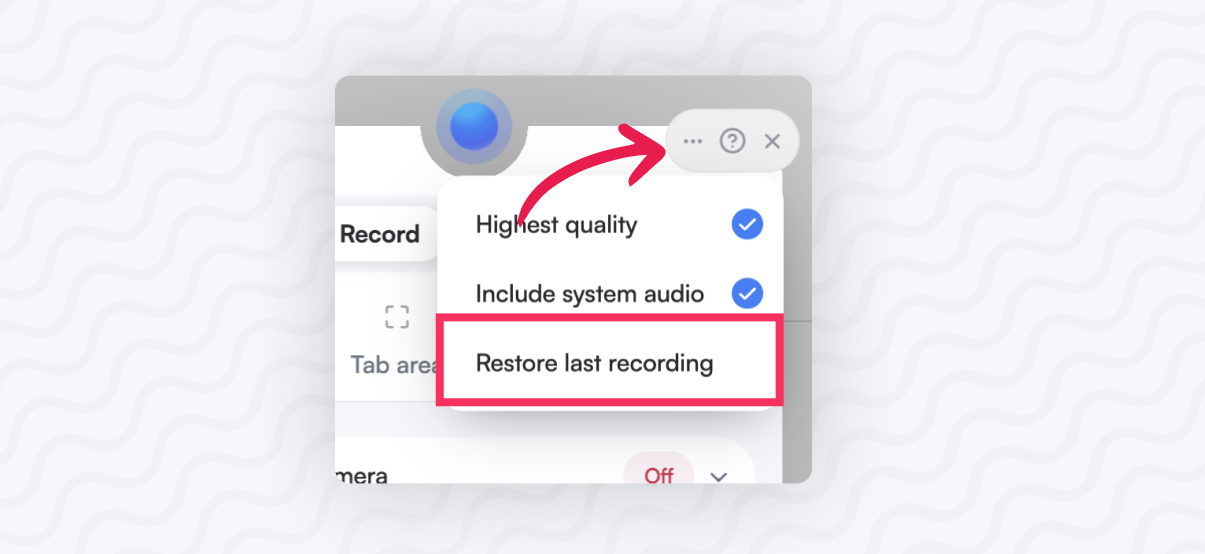
- Open the Screenity popup
- Put your mouse over the popup to reveal the options on the top right. Then click on the 3 dot (…) button
- Click on “Restore last recording” if the button is greyed out, sadly the recording will be lost.
- A new tab will open with your video, which you can edit or save.
Note: ❗ Remember to always download your videos if you want to save them since Screenity does not save anything, it is all 100% local and private.