How to stop a recording in Screenity
Learn multiple ways to stop recordings: toolbar button, keyboard shortcut, or extension icon. Quick and easy.
1 min read•
After you’ve started your recording in Screenity, you can stop it in a variety of ways.
-
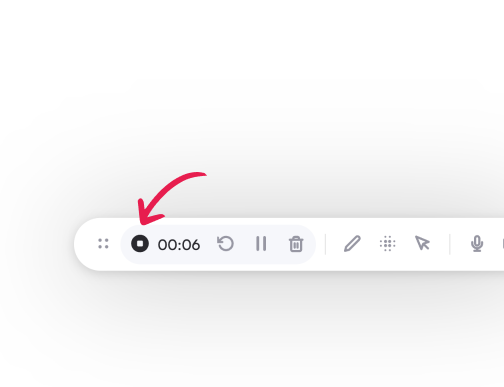
On your toolbar, click on the black dot on the left. This will stop the recording.
-
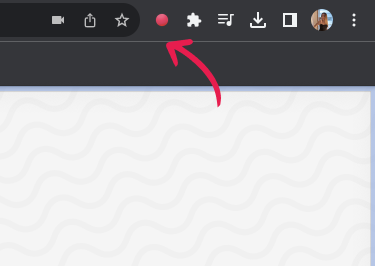
If the toolbar isn’t visible, you can click on the red dot on your address bar to stop recording.
-
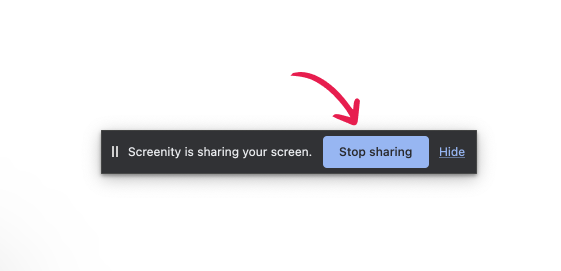
If you’re recording outside of Chrome, you can click on Stop sharing on the small modal that appears on your screen.
If you simply want to take a break in your recording, you can simply pause it and resume it later. Learn how by clicking here.