How to install the Screenity extension
Learn how to install Screenity Chrome extension in 3 easy steps. Start recording your screen in minutes.
1 min read•
-
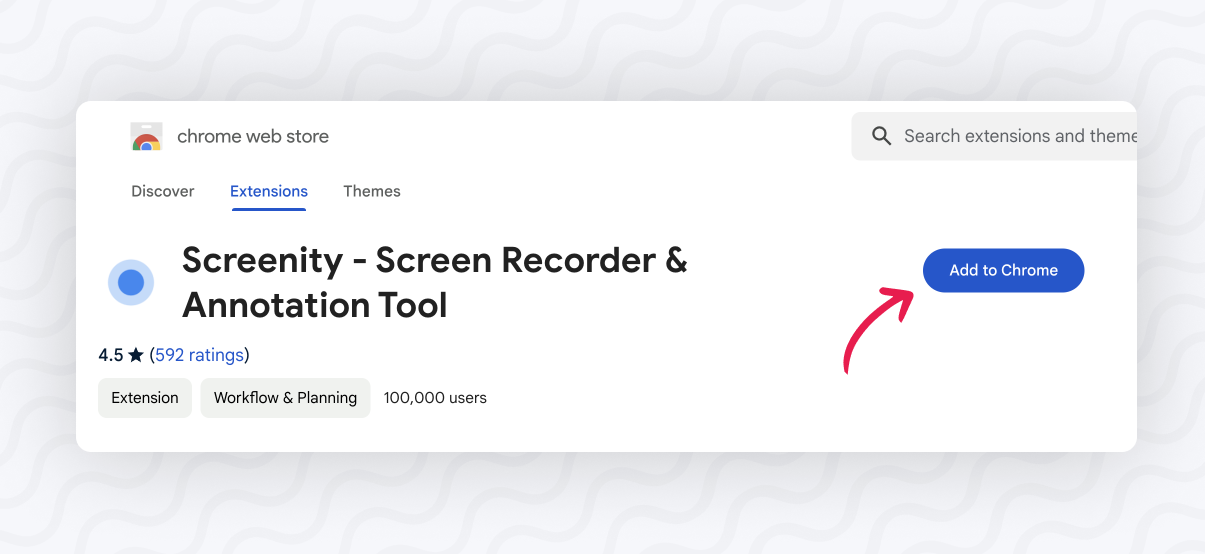
Visit the Chrome Store page for Screenity here and click on Add to Chrome.
-
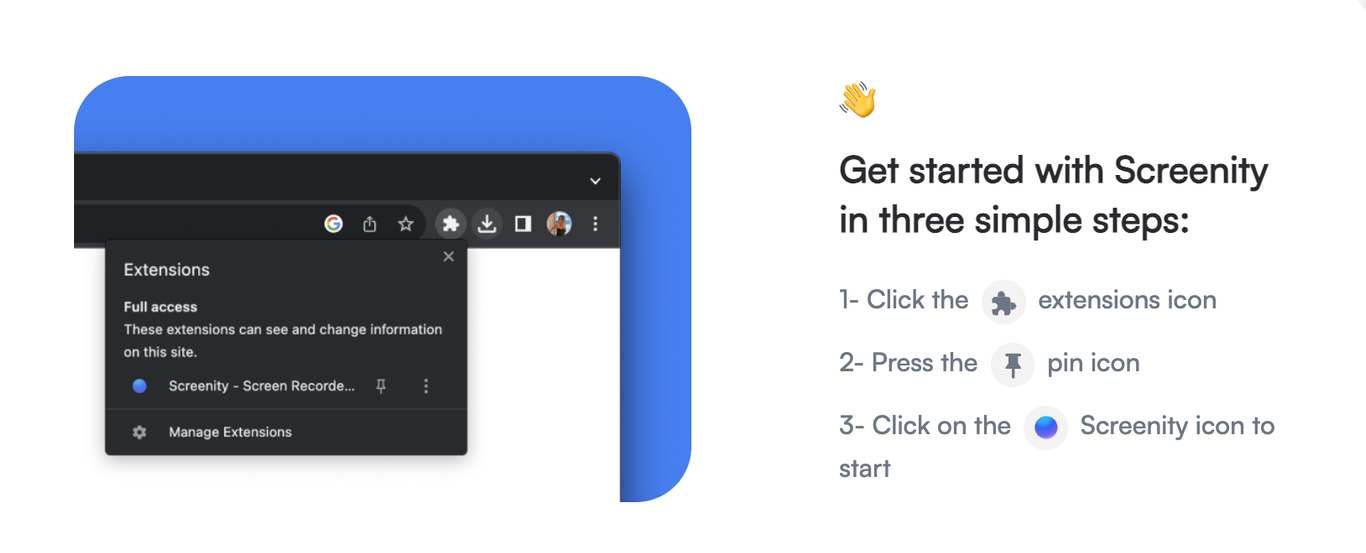
You will be brought to the setup page. Follow the steps to get the Screenity extension on your address bar.
-
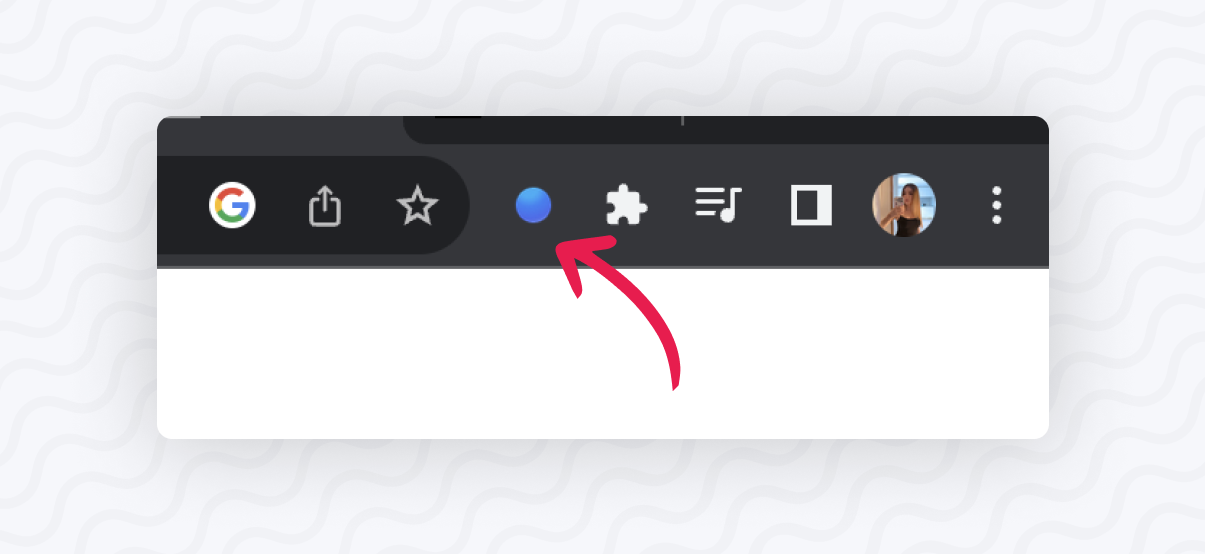
That’s all! You’re ready to start recording by clicking on the Screenity logo
Note: Screenity is currently only available for browsers like Chrome, Arc, or Edge. Click here to register interest for the Firefox extension